Smart Watch app - BT Notifier
Tech that appCommunication
4.32.39K Reviews
- Version
- Varies With Device
- Installs
- 10.00M
- Age Rating
- Everyone
Screenshots
Our Review of Smart Watch app - BT Notifier
 Analysis by Appyee
I judge a smartwatch companion app by a practical question: does it make checking a notification easier, or does it add another connection to troubleshoot? Smart Watch app - BT Notifier is aimed at people who want phone alerts to reach a watch, so its value depends less on flashy extras and more on whether that basic link fits the devices and habits they already have.
That makes it worth approaching as a focused communication tool rather than a full smartwatch platform. Before choosing it, I’d consider which alerts I genuinely need on my wrist, whether the watch already handles them on its own, and how much setup I’m willing to manage. A simple notification bridge can be useful, but it is not automatically the best choice for every phone-and-watch combination.
Start with the job you need it to do
The central appeal is straightforward: keep an eye on notifications without pulling out your phone. That can help when your phone is tucked away, when you are moving between tasks, or when a quick glance is less disruptive than unlocking a screen. The app is listed in the communication category and is made by Tech that app; it is free to install, with optional in-app purchases ranging from $0.99 to $79.99 per item.
I would first decide whether I need broad notification mirroring or only a small set of alerts. A wrist that buzzes for every message and app update can become as distracting as a phone. Choosing a narrower set, where the available controls allow it, makes the watch more useful: calls or time-sensitive messages can stand out instead of disappearing into a stream of low-priority pings.
Where a notification bridge can earn its place
This kind of app is most compelling when the watch is a convenient second screen, not a replacement for the phone. Picture walking home with shopping bags and the phone zipped into a backpack. A glance at the wrist can help you decide whether an incoming alert needs an immediate response or can wait until your hands are free. The benefit is small but real: fewer unnecessary phone checks.
It can also suit someone who works in a setting where repeatedly reaching for a phone feels awkward, or who wants to stay reachable while doing chores. I would still treat the watch as a prompt, not as a reliable substitute for reading and responding to everything on the phone. A short alert is useful for triage; anything that needs context, careful typing, or a longer reply is usually easier to handle on the handset.
One practical tip is to test the connection with the exact alerts that matter before relying on it during a busy day. Send or receive a few ordinary notifications, then put the phone where you normally keep it and see whether the wrist alert arrives in that routine. Testing while both devices are nearby is not the same as testing during a commute, across rooms, or after a device has been idle. That small check helps reveal whether the setup suits your real use rather than an ideal one.
Getting Started: The Setup
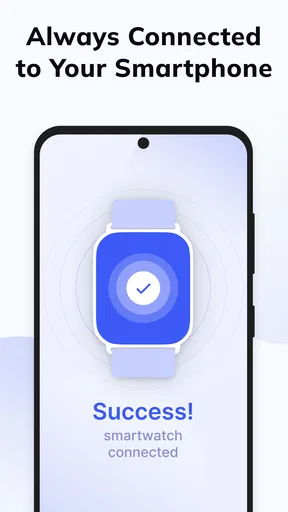
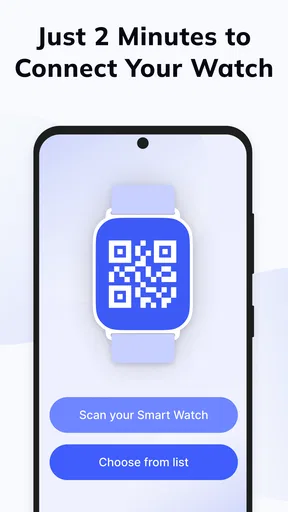
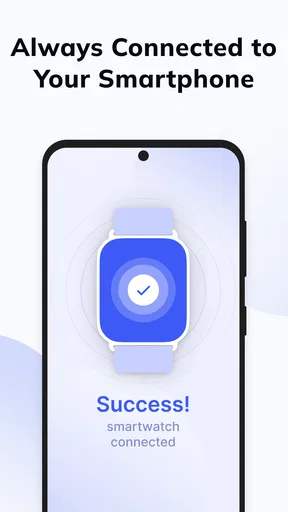
Installing BT Notifier is a breeze. Head over to the Google Play Store or Apple App Store, search for the app, and hit download. Once installed, pairing your devices is pretty straightforward. All you need to do is enable Bluetooth on both your smartphone and your smartwatch, and the app guides you through the pairing process. A few taps here and there, and voila, you're all set!
What’s cool about the setup process is that the app automatically detects nearby Bluetooth devices, which saves you from the hassle of manually searching for your smartwatch. Plus, the interface is intuitive, so even if you’re not tech-savvy, you’ll find your way around easily.
Features That Stand Out
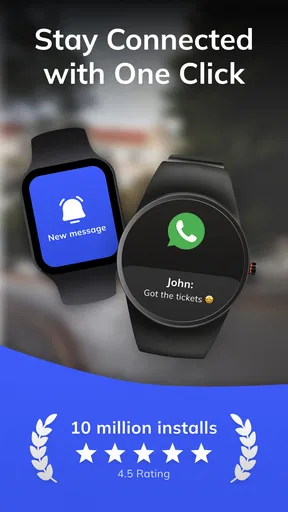
Once you’ve got everything connected, the fun begins. BT Notifier is packed with features that make life easier. First up, there’s the notification feature. Whether it's calls, texts, or app alerts, everything gets mirrored on your smartwatch. This is particularly handy if you’re in meetings or on the move and can’t constantly check your phone.
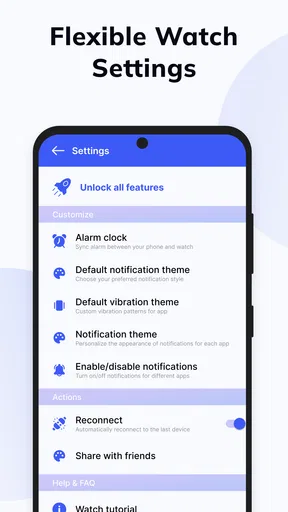
But it doesn’t stop there. The app allows you to customize notifications. Want only calls to buzz on your wrist? No problem. Prefer to get alerts from your favorite apps like WhatsApp or Instagram? You got it. It’s all about personalizing your notification experience to suit your lifestyle.
Seamless Connectivity
One of the standout aspects of BT Notifier is its seamless connectivity. The connection is stable and reliable, which is crucial for an app of this nature. There’s nothing worse than missing notifications because of a dropped connection. Thankfully, I didn’t encounter any such issues during my usage. The app keeps a consistent link between the devices, ensuring you stay updated without a hitch.
In day-to-day use, I would still keep Bluetooth enabled and make sure both devices are paired as intended. A phone update, a watch restart, or moving out of range can interrupt the chain, even when an app has behaved well before. If alerts stop arriving, I’d check the phone-to-watch connection first, then confirm that the desired notifications are still enabled, rather than immediately reinstalling the app. That order of checks is quicker and avoids resetting a setup that may only have been temporarily interrupted.
The User Experience
Let’s talk about the user experience because, honestly, that can make or break an app. With BT Notifier, the developers have nailed it. The interface is clean and user-friendly, with everything laid out in a logical manner. Navigating through the app is smooth, and there’s a handy help section if you ever get stuck.
For a first-time smartwatch owner, a clear interface matters because pairing and notification choices can otherwise feel like two separate problems. I’d take a moment after setup to make one change at a time and check the result on the watch. If an alert does not appear, that makes it easier to tell whether the issue is the selected app, the phone’s own notification settings, or the connection itself. It is a more useful troubleshooting habit than changing several settings at once and then guessing which one helped.
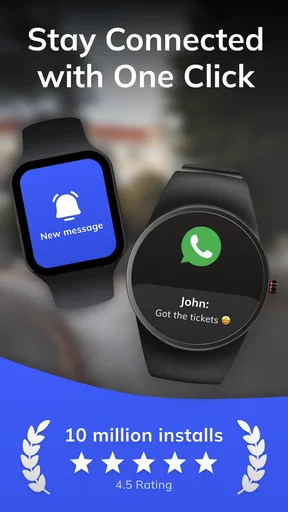
The app is rated for Everyone, and it has an average rating of 4.2 from around 231,000 ratings, with about 2,300 written reviews. It has passed 10 million installs and was released on May 5, 2020. Those figures suggest that many people have tried it, but I would not treat popularity as a guarantee that it will work equally well with every watch. Compatibility and the reliability of the connection in your own routine matter more than a large install count.
Battery Life: A Pleasant Surprise
Now, if you’re like me, always worried about battery life, you’ll be pleased to know that BT Notifier is pretty efficient in this department. The app doesn’t drain your phone or smartwatch battery excessively, which is a big relief. I’ve used it throughout the day without noticing any significant battery drop, so that’s a big thumbs up from me.
Battery use is still worth judging over your own day, especially if you receive a high volume of alerts or keep Bluetooth active for other devices too. A useful compromise is to allow only notifications that would change what you do next. That reduces wrist interruptions and gives the connection a clearer purpose. If your main goal is simply to check the time and track activity, a notification-focused app may add little value compared with using the watch’s built-in options.
Choosing it over the usual alternatives
On a compatible watch, the phone’s built-in companion software is often the natural starting point: it may already provide the pairing and alert controls you need, with fewer moving parts. A separate notifier app makes more sense when you want an additional way to manage the phone-to-watch notification link or when its setup better suits your particular devices. I would compare the result, not the feature list: does the watch show the alerts you care about, consistently, without making you maintain two overlapping systems?
There is also a meaningful difference between a notification bridge and a full smartwatch companion experience. Someone looking for deeper watch management, health summaries, or a broad set of device controls should choose the official companion app designed for their watch, if one is available. This app’s appeal is narrower: getting phone notifications onto a smartwatch. That focus can be an advantage if you want a simple job done, but it is a reason to skip it if you expect an all-purpose control center.
What to check before settling in
One question I would ask before installing is whether the watch already receives the same alerts without extra software. If it does, adding another app may duplicate settings and make it harder to identify the source of a missed notification. If it does not, try a small, deliberate setup first: pair the devices, choose a few important alert types, and live with that arrangement before expanding it to every app.
Another useful question is whether the watch is meant to help you respond or merely help you decide whether to reach for the phone. For quick awareness, a mirrored alert can be enough. For detailed conversations, long messages, or situations where every notification must arrive promptly, the phone remains the safer reference point. I would not build a work-critical routine around wrist alerts until I had tested it repeatedly in the places and conditions where I need it.
Switching away later is not a major conceptual change, but it can involve repeating the pairing and notification choices in another companion app. To keep that manageable, note which alerts you actually use before changing tools; otherwise, it is easy to recreate a cluttered notification setup simply because every option is turned on by default. The best arrangement is the one that makes important alerts visible without turning the watch into a second stream of noise.
Final Thoughts
In a nutshell, BT Notifier is a game-changer for anyone using a smartwatch. It’s simple to set up, reliable, and offers a customizable experience that really enhances the way you receive notifications. Whether you’re a busy professional, a fitness enthusiast, or someone who just loves staying connected, this app is definitely worth checking out.
So, if you’re tired of missing important alerts or just want a more streamlined way to keep up with your notifications, give BT Notifier a try. It’s one of those apps that once you start using, you’ll wonder how you ever managed without it!
My recommendation is more measured: I’d try it if the watch and phone are already part of your daily routine and you want a straightforward way to keep selected alerts within reach. I’d skip it if your watch’s existing companion app already does the job cleanly, or if you need dependable, comprehensive smartwatch management rather than notification access. It is free to install, but optional purchases are available, so I would explore the basic setup first and only consider paying if a specific extra solves a real problem for me.
Overall, I see this as a practical option for people who value quick awareness over doing everything from the wrist. The strongest reason to keep it is that it makes an important alert easier to notice at the right moment; the strongest reason to choose something else is a mismatch with your devices or a need for broader controls. If a short real-world trial confirms that the alerts you care about arrive where you expect, it earns its place. If not, the built-in watch tools or a more suitable companion app are the better choice.
Verdict
Strengths of Smart Watch app - BT Notifier
- Seamless connectivity with most smartwatches.
- User-friendly interface for easy navigation.
- Customizable notifications for personal needs.
- Low power consumption to save battery life.
- Supports multiple languages for global users.
Limitations of Smart Watch app - BT Notifier
- Limited features in the free version.
- Occasional sync issues with older devices.
- Requires Bluetooth always enabled.
- Ads in the free version can be intrusive.
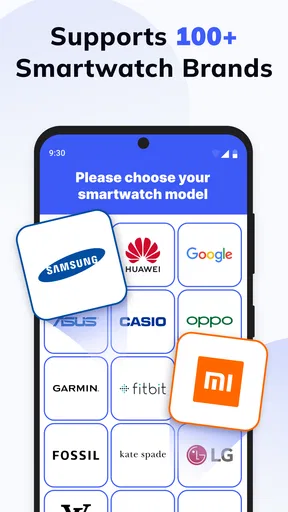
- May not support all smartwatch brands.
Similar Picks in This Category
View All
Google Messages
Google LLC4.6

Gmail
Google LLC4.1

Google Meet
Google LLC4.4

Google Chrome
Google LLC4.1

WhatsApp Messenger
WhatsApp LLC4.6

Carrier Services
Google LLC4.2
Frequently Asked Questions
What is the main functionality of the Smart Watch app - BT Notifier?
The Smart Watch app - BT Notifier is designed to connect your smartphone with your smartwatch via Bluetooth. It allows you to receive notifications, calls, and messages directly on your smartwatch. This app enhances the functionality of your smartwatch by ensuring you stay connected and informed without needing to constantly check your phone.
Is the Smart Watch app - BT Notifier compatible with all smartwatch brands?
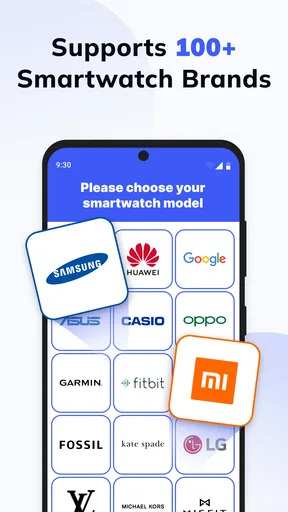
The app is generally compatible with most popular smartwatch brands that support Bluetooth connectivity. However, compatibility can vary between different models and operating systems. It is recommended to check the compatibility list provided by the app or contact customer support for confirmation before downloading.
How secure is the Smart Watch app - BT Notifier in terms of user data privacy?
The Smart Watch app - BT Notifier takes user privacy seriously and implements standard encryption protocols to protect data transmitted between your smartphone and smartwatch. However, users should always review the app’s privacy policy and permissions to ensure it aligns with their privacy expectations before installation.
Does the Smart Watch app - BT Notifier consume a lot of battery power on my phone?
While the app is designed to be energy-efficient, it does require continuous Bluetooth connectivity, which can increase battery consumption. Users may notice a moderate impact on battery life, but the developers have optimized the app to balance functionality and power usage effectively.
Are there any additional costs or in-app purchases in the Smart Watch app - BT Notifier?
The Smart Watch app - BT Notifier is typically free to download with basic features available at no cost. However, it may offer optional in-app purchases for premium features or additional customization options. It's advisable to check the app store listing for detailed information on any potential costs.
